> For the complete documentation index, see [llms.txt](https://distance.gitbook.io/distance/llms.txt). Markdown versions of documentation pages are available by appending `.md` to page URLs; this page is available as [Markdown](https://distance.gitbook.io/distance/getting-started/settings/team-tab.md).
# Team tab
The Team tab lets you manage team members and team schedules to control who can access your workspace and how calls are routed to your team.
### **Introduction**
The **Team** tab is where you manage both the people and availability structure within your Distance workspace. From here, you can invite and manage team members, define schedules for availability, and ensure the right responders are assigned to conversations, tickets, and call transfers.
Keeping this information up to date ensures proper routing, accountability, and coverage across customer interactions.
***
### **Managing team members**
From the **Team** tab, you can view all current team members and their status.
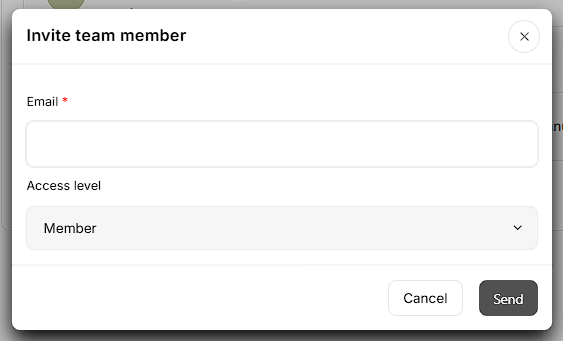
Click **Invite team member**, then enter the team member’s email address and send the invitation.
The **Member** role will be automatically assigned.
Invited users must accept the invitation before they become active in the workspace.
Only **active team members** can:
* Be assigned to tickets
* Be included in ticket assignment rules
* Take over conversations from AI agents
If a user is inactive or removed, they will no longer appear as an option for assignments or routing rules.